PostgreSQL vs MongoDB — Part 2: A Real-World Scenario Decision Guide
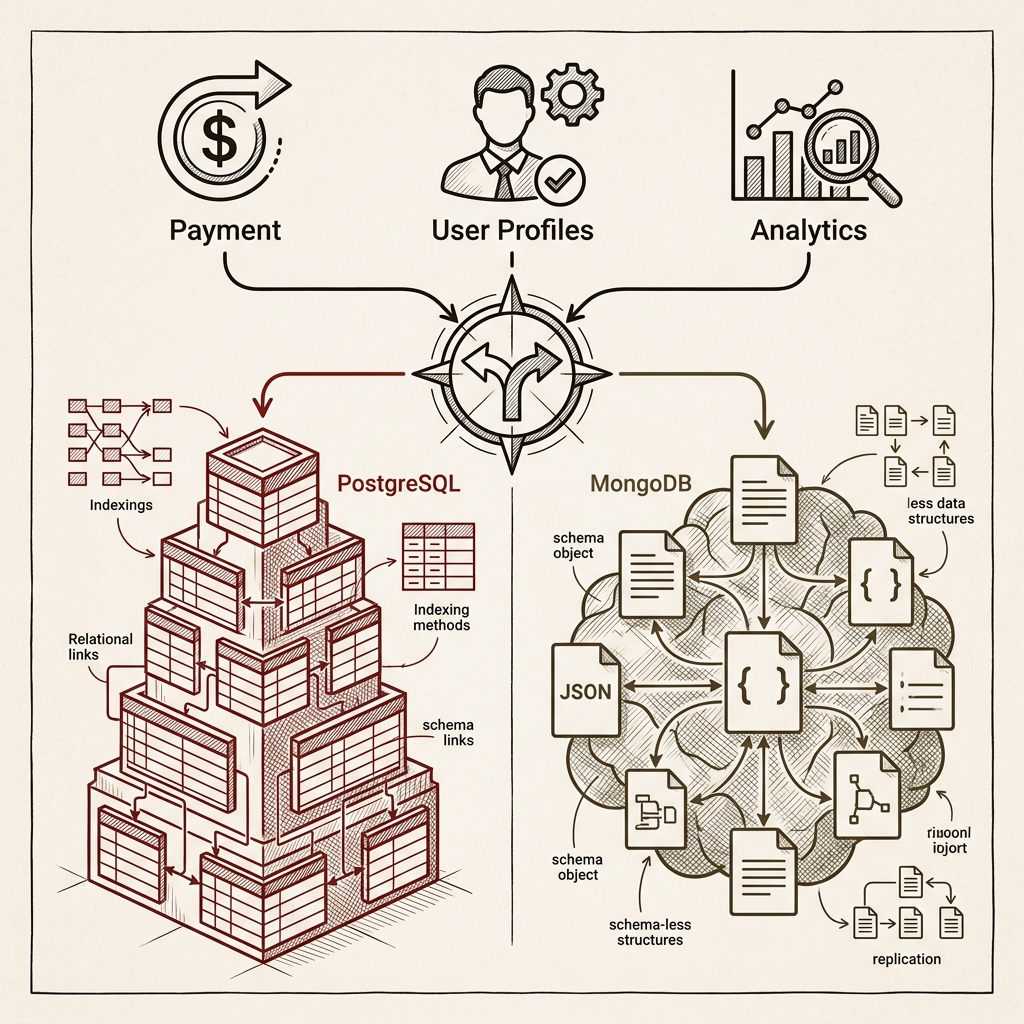
Part 1 mapped the design philosophies; Part 2 brings them down to earth. Five practical scenarios — payments requiring ACID transactions, variable-schema profiles, reporting dashboards, high-volume event logs, and Nest.js + TypeScript backends — each examined with concrete code examples and a decision question you can apply to your own domain. We also cover three common mistakes teams make when picking a database, and preview the hybrid architecture discussion coming in Part 3.
Series outline
- Part 1 — Understanding the Design Philosophy Behind Your Database Choice
- Part 2 — A Real-World Scenario Decision Guide (this post)
- Part 3 — Hybrid Architecture and Migration Strategies (upcoming)
Table of contents
- Introduction: answering "which database should we use?"
- Scenario 1 — Payments and settlements: transactions are non-negotiable
- Scenario 2 — User profiles and content: when the shape changes every time
- Scenario 3 — Reporting and dashboards: SQL's home turf
- Scenario 4 — Real-time events and logs: when writes explode
- Scenario 5 — Nest.js + TypeScript backend: type safety first
- Three common database selection mistakes
- Wrapping up: what's in Part 3
1. Introduction
Part 1 covered the philosophical gap between the two databases. Now let's get practical.
In a real project, "PostgreSQL is better" or "MongoDB is better" means nothing without context. The answer depends on your domain, the shape of your data, and what your team is already comfortable with.
This part walks through five scenarios that come up constantly in production engineering, examining what database to reach for and why in each case.
2. Scenario 1 — Payments and Settlements
"Transactions are non-negotiable"
Choose: PostgreSQL
For domains where data integrity is the top priority — payments, settlements, financial records — PostgreSQL wins decisively. The reason is simple: when money is involved, a "partially applied" state is never acceptable.
Consider a funds transfer from account A to account B. Both rows must update together, or neither should.
BEGIN;

UPDATE accounts
  SET balance = balance - 50000
  WHERE id = 'user_A';

UPDATE accounts
  SET balance = balance + 50000
  WHERE id = 'user_B';

-- Rolls back entirely if either update fails
COMMIT;
PostgreSQL's ACID transaction model has handled this pattern reliably for decades. MongoDB has supported multi-document transactions since v4.0, but that approach runs against the document database's design philosophy and carries performance overhead.
Forcing MongoDB to handle complex financial transactions means moving that coordination logic up to the application layer. That's possible — but why solve at the application level what the database already handles for you?
Decision question: "If this operation fails partway through, can a partially applied state ever exist?" — If no, choose PostgreSQL.
3. Scenario 2 — User Profiles and Content
"When the shape changes every time"
Choose: MongoDB
In SaaS products or CMS platforms, input fields often differ by user type, and content structure can vary completely by content type. Consider a job platform:
- A developer profile has
githubUrl,techStack[],openSourceContribs. - A designer profile has
portfolioUrl,tools[],dribbbleHandle. - A marketer profile has
campaignHistory[],certifications[].
Fitting this into a relational schema leaves you with awkward options: mix common columns with a JSON catch-all, or maintain separate tables per type. Both approaches get uncomfortable fast.
MongoDB handles it naturally:
// Developer profile
{
  "_id": "user_101",
  "type": "developer",
  "name": "Alex",
  "techStack": ["Node.js", "PostgreSQL", "Redis"],
  "githubUrl": "https://github.com/alex",
  "openSourceContribs": 12
}

// Designer profile
{
  "_id": "user_202",
  "type": "designer",
  "name": "Jamie",
  "tools": ["Figma", "Framer"],
  "portfolioUrl": "https://jamie.design",
  "dribbbleHandle": "@jamiedesign"
}
Each document carries its own structure while common fields (_id, type, name) support filtering across the collection. Adding a new role requires no changes to existing documents.
One caveat: "no schema" does not mean "no rules." Use MongoDB's Schema Validation to enforce minimum field types and required values. Without it, six months of unconstrained writes will leave your data in chaos.
Decision question: "Does the document shape differ between records, and will it keep evolving?" — If yes, choose MongoDB.
4. Scenario 3 — Reporting and Dashboards
"SQL's home turf"
Choose: PostgreSQL
"Show me the top 10 revenue categories by region for the last 30 days."
The moment that requirement lands, SQL is exactly the right tool.
SELECT
  r.name             AS region,
  c.name             AS category,
  SUM(o.total_price) AS revenue,
  COUNT(DISTINCT o.user_id) AS unique_buyers
FROM orders o
JOIN users u      ON o.user_id = u.id
JOIN regions r    ON u.region_id = r.id
JOIN products p   ON o.product_id = p.id
JOIN categories c ON p.category_id = c.id
WHERE o.created_at >= NOW() - INTERVAL '30 days'
  AND o.status = 'completed'
GROUP BY r.id, c.id
ORDER BY revenue DESC
LIMIT 10;
One query, done. With proper indexes, this handles millions of rows without breaking a sweat.
MongoDB's Aggregation Pipeline can produce the same result, but expressing complex multi-join aggregations in MQL becomes verbose — and significantly harder to read for anyone fluent in SQL.
// Equivalent query using MongoDB Aggregation Pipeline
db.orders.aggregate([
  { $match: { status: "completed", created_at: { $gte: thirtyDaysAgo } } },
  { $lookup: { from: "users",     localField: "user_id",    foreignField: "_id", as: "user" } },
  { $unwind: "$user" },
  { $lookup: { from: "products",  localField: "product_id", foreignField: "_id", as: "product" } },
  { $unwind: "$product" },
  // ... continues
]);
BI tools — Metabase, Superset, Grafana — are predominantly SQL-based. For projects with serious reporting requirements, PostgreSQL is effectively the default.
Decision question: "Will stakeholders regularly request data reports?" — If yes, choose PostgreSQL.
5. Scenario 4 — Real-Time Events and Logs
"When writes explode"
Choose: MongoDB (or a dedicated solution)
User behavior events, application logs, IoT sensor data — scenarios where thousands of writes per second arrive and each event has a different shape.
// Each event type carries a different payload shape
{ "type": "page_view",    "url": "/products",       "duration_ms": 1240, "device": "mobile" }
{ "type": "button_click", "element": "add_to_cart", "product_id": "p_99" }
{ "type": "error",        "code": 500,              "stack": "TypeError: ...", "context": {} }
Forcing this data into relational tables means stuffing varying fields into a JSON catch-all column — which immediately undermines PostgreSQL's core advantage of explicit schema. MongoDB's flexible document model fits this pattern far more naturally.
That said, if write volume is truly extreme, Apache Kafka + ClickHouse or Elasticsearch are worth evaluating over MongoDB. MongoDB is the right choice when you want "reasonably flexible, reasonably fast writes" — it is not the universal answer to every event streaming problem.
Decision question: "Do events have variable shapes, high write volume, and will you aggregate them later?" — MongoDB. If real-time streaming and analytics are the core requirement, consider a dedicated solution alongside.
6. Scenario 5 — Nest.js + TypeScript Backend
"Type safety first"
Default: PostgreSQL + Prisma
When building a backend with Nest.js and TypeScript, PostgreSQL + Prisma is a strong default unless you have a specific reason to go elsewhere.
A single Prisma schema file handles schema definition, type generation, and migrations in one place. Your code and database schema stay in sync, and type mismatches or invalid field names surface at compile time rather than runtime.
// prisma/schema.prisma
model User {
  id        String      @id @default(cuid())
  email     String      @unique
  name      String
  orders    Order[]
  createdAt DateTime    @default(now())
}

model Order {
  id        String      @id @default(cuid())
  total     Decimal
  status    OrderStatus
  user      User        @relation(fields: [userId], references: [id])
  userId    String
}
// Full type safety from auto-generated types
const orders = await prisma.order.findMany({
  where: { status: 'COMPLETED', user: { email: 'dev@example.com' } },
  include: { user: true },
});
// orders is fully typed
MongoDB + Mongoose supports TypeScript, and Prisma also supports MongoDB. But representing deeply nested document types in TypeScript accurately requires more boilerplate than it first appears. When your data is clearly relational, PostgreSQL pairs more naturally with TypeScript's type system.
Decision question: "In a Nest.js + TypeScript context, is the data structured with clear relationships?" — Default to PostgreSQL + Prisma.
7. Three Common Database Selection Mistakes
Mistake 1: "MongoDB has no schema, so we can move faster"
True — at the start. But once data accumulates in production, you pay for every document inserted without an index strategy. MongoDB still requires thinking through which fields will be queried, how large documents will grow, and which fields are required. "Schemaless = no design needed" is a dangerous misreading.
Mistake 2: "Relational is the correct design"
There's a view in tech communities that NoSQL was a scaling fad and relational is ultimately right. But if your data truly is document-shaped and always read as a whole, there's no good reason to split it across multiple tables. The shape of the data and its access patterns — not ideology — should drive the decision.
Mistake 3: "Rip out the working database"
If your current system is working, there's no reason to migrate just because another database is trending. Migrations make sense when there's a concrete pain point: MongoDB making complex reporting miserable, or PostgreSQL schema changes becoming a bottleneck. Chasing technology trends consumes time and budget with no guaranteed return.
8. Wrapping Up
The five scenarios, summarized:
| Scenario | Recommendation | Core reason |
|---|---|---|
| Payments / settlements | PostgreSQL | ACID transactions, data integrity |
| Variable profiles / content | MongoDB | Flexible schema, structural diversity |
| Reporting / dashboards | PostgreSQL | SQL aggregation, BI tool integration |
| Events / logs | MongoDB | Flexible payloads, high-write throughput |
| Nest.js + TypeScript | PostgreSQL + Prisma | Type safety, clear relations |
The question is always the same: look at the shape of your domain first.
And if you're somewhere in the middle? That's exactly where Part 3's hybrid strategy conversation begins.
Coming up in Part 3:
- Hybrid architectures that run PostgreSQL and MongoDB side by side
- When to split databases and when to consolidate
- Real migration paths: MongoDB to PostgreSQL, and back
- Alternatives worth watching in 2026: PlanetScale, SurrealDB, EdgeDB
References
Use these documents when re-checking the technical claims and operational guidance in this article.