Data Engineering Playbook — Part 5: Cloud & Infrastructure Deep Dive (FinOps, IaC)
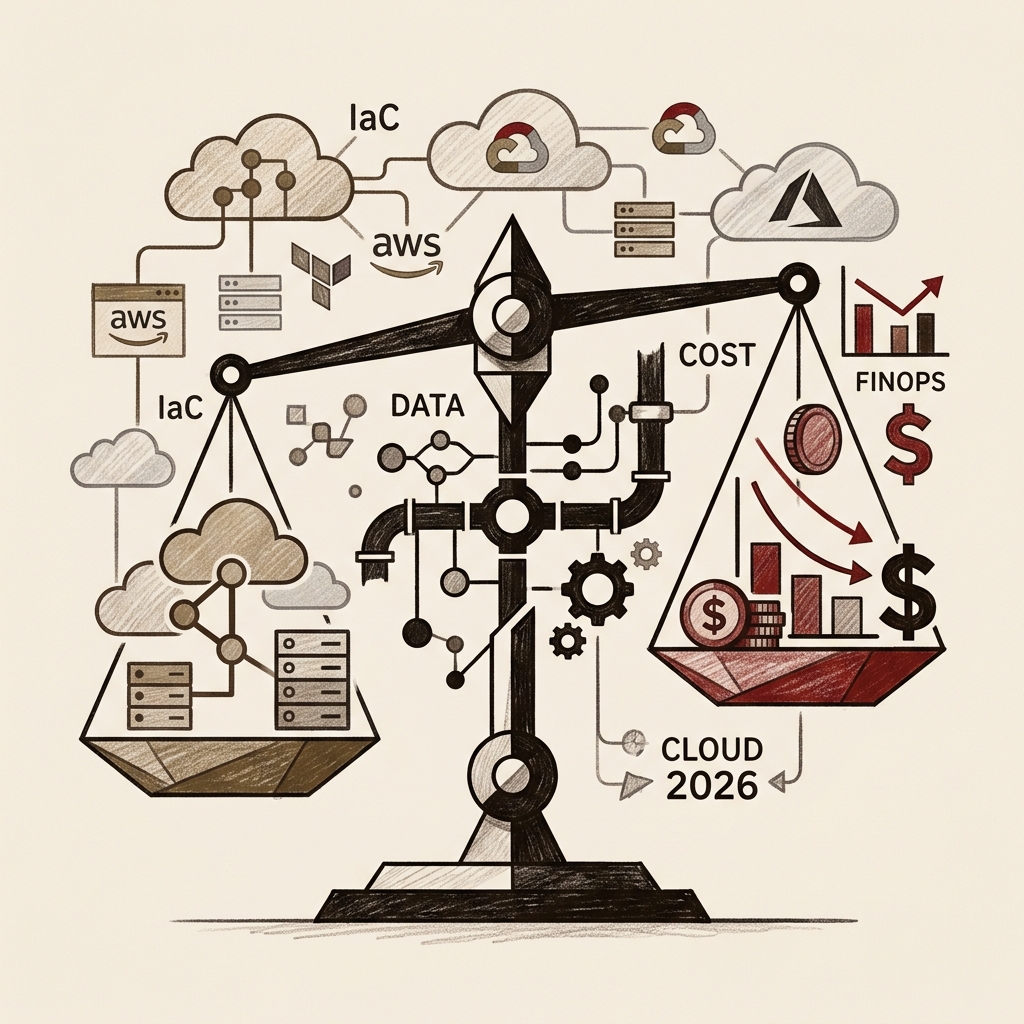
In 2026, global cloud spending has surpassed $1 trillion — yet without systematic cost management, organizations waste 32–40% of their budgets on idle resources and over-provisioned capacity. This guide delivers a comprehensive AWS vs GCP vs Azure service-by-service comparison, a Snowflake vs BigQuery vs Redshift selection framework, and production-ready Terraform/OpenTofu patterns for Medallion architecture buckets and CI/CD pipelines. The FinOps section covers seven cost-reduction strategies — resource tagging, Reserved Instances, storage tiering, BigQuery cost control, and Spot instance patterns — that consistently achieve 25–30% savings, followed by a multi-cloud data egress cost playbook and open-standard vendor lock-in mitigation strategies.
Series Overview
- Part 1 — Overview & 2026 Key Trends (published)
- Part 2 — Data Architecture Design (published)
- Part 3 — Building Data Pipelines (published)
- Part 4 — Data Quality & Governance (published)
- Part 5 — Cloud & Infrastructure Deep Dive (FinOps, IaC) (current)
- Part 6 — AI-Native Data Engineering (upcoming)
- Part 7 — DataOps & Team Operations Playbook (upcoming)
Table of Contents
- The 2026 Cloud Landscape
- AWS vs GCP vs Azure — Full Data Platform Comparison
- Cloud Warehouse Showdown — Snowflake vs BigQuery vs Redshift
- IaC — Managing Infrastructure as Code
- FinOps — Making Cloud Cost a First-Class Citizen
- Data Platform Cost Optimization in Practice
- Multi-Cloud & Hybrid Strategy
- Production Checklist
1. The 2026 Cloud Landscape
Global cloud spending surpassed $1 trillion in 2026. At the same time, research shows that without systematic cost management, organizations waste 32–40% of their cloud budgets on idle resources, over-provisioned capacity, and unmonitored services.
The 2026 cloud market share breakdown:
- AWS: ~31% — Widest service breadth and most mature ecosystem
- Azure: ~23–25% — Fastest growing overall, driven by Microsoft 365 integration and an exclusive OpenAI partnership
- GCP: ~11–12% — Differentiated in data analytics and AI/ML workloads, fastest year-over-year growth (23% YoY)
The 2026 reality: The best cloud is not AWS, Azure, or GCP. It is the platform your data engineering team can operate confidently, consistently, and sustainably.
2. AWS vs GCP vs Azure — Full Data Platform Comparison
Service Mapping — Category-by-Category Equivalents
| Category | AWS | GCP | Azure |
|---|---|---|---|
| Object Storage | S3 | Cloud Storage | Blob Storage / ADLS Gen2 |
| Data Warehouse | Redshift | BigQuery | Synapse Analytics |
| Managed Spark | EMR | Dataproc | HDInsight / Synapse Spark |
| Streaming Ingestion | Kinesis | Pub/Sub | Event Hubs |
| Stream Processing | Kinesis Analytics | Dataflow (Apache Beam) | Stream Analytics |
| Serverless ETL | Glue | Dataflow | Data Factory |
| Managed Kafka | MSK | Confluent on GCP | Event Hubs (Kafka-compatible) |
| Managed Airflow | MWAA | Cloud Composer | None (ADF as alternative) |
| Data Catalog | Glue Data Catalog | Dataplex | Purview |
| ML Platform | SageMaker | Vertex AI | Azure ML |
| Lakehouse | AWS Lake Formation | BigLake | Microsoft Fabric |
| Data Sharing | AWS Data Exchange | Analytics Hub | Azure Data Share |
AWS — Breadth and Ecosystem
AWS continues to dominate the data engineering job market in 2026, with North American job postings running approximately 2.8:1 over GCP.
AWS Strengths
- Widest service breadth (200+ managed services)
- Largest partner ecosystem and community
- S3 + Iceberg + Athena combination for cost-effective lakehouse
- Granular access control via Lake Formation
AWS Caveats
- High operational complexity due to overlapping services
- Overlapping service roles create decision fatigue (EMR vs Glue vs Athena)
- Cost prediction is difficult; watch for data egress charges
GCP — The AI/ML and Analytics Leader
GCP differentiates itself in analytics-centric pipelines and AI/ML integration. A notable milestone: BigQuery ML now supports LLM fine-tuning directly from SQL queries.
GCP Strengths
- BigQuery: serverless, petabyte queries in seconds, zero operational overhead
- Google's global private network delivers consistent low latency
- Most natural data-AI integration via Vertex AI + BigQuery ML
- Mature managed Airflow via Cloud Composer
GCP Caveats
- BigQuery's byte-scanned billing model can cause cost spikes without query optimization
- Narrower service breadth compared to AWS
- Enterprise sales and support organization is weaker than AWS
Azure — The Enterprise and Hybrid Champion
Azure is unmatched for Microsoft 365, Power BI, and Windows/.NET integration. Microsoft Fabric now unifies Data Factory, Synapse, Power BI, and Purview under a single governance layer, and enterprise IT teams are adopting it rapidly.
Azure Strengths
- Native integration with Office 365, Teams, and SharePoint data
- Most compliance certifications of any cloud (essential for finance, healthcare, government)
- Mature hybrid/on-premise connectivity via Azure Arc
- Microsoft Fabric is rapidly improving the unified analytics experience
Azure Caveats
- Layered pricing structures make cost prediction difficult
- Frequent service renaming creates a steep learning curve
- Deep reliance on Azure-proprietary services increases vendor lock-in risk
Cloud Selection Decision Guide
3. Cloud Warehouse Showdown
One of the most consequential decisions in a modern data stack. Snowflake, BigQuery, and Redshift each embody different philosophies and strengths.
Architecture Comparison
Comparison Matrix
| Attribute | Snowflake | BigQuery | Redshift |
|---|---|---|---|
| Architecture | Compute/storage separated | Fully serverless | Provisioned / serverless |
| Multi-cloud | ✅ AWS/GCP/Azure | ❌ GCP only | ❌ AWS only |
| Billing model | Compute per-second + storage | Bytes scanned or slots | Node-hours or RPU |
| Operational burden | Low (fully managed) | Very low (serverless) | Medium (tuning required) |
| Concurrency | ✅ Very high (WH isolation) | ✅ High | △ Cluster-config dependent |
| Semi-structured data | ✅ VARIANT type | ✅ JSON/STRUCT/ARRAY | △ SUPER/PartiQL |
| ML integration | ✅ Snowpark | ✅ BigQuery ML (incl. LLM) | ✅ SageMaker |
| Data sharing | ✅ Industry-leading | ✅ Analytics Hub | △ Limited |
| AWS integration | Moderate | Low | ✅ Best-in-class |
| Cost predictability | Medium | Low (unpredictable query costs) | High (provisioned) |
Warehouse Selection Guide
Practical recommendation: If your team needs to isolate ETL and BI workloads with high concurrency demands, Snowflake's Virtual Warehouse isolation shines. If your data is structured and GCP is your primary cloud, BigQuery's serverless model dramatically reduces operational overhead. If deep AWS ecosystem integration is your top priority, Redshift remains a strong choice.
4. IaC — Managing Infrastructure as Code
Why IaC Is Non-Negotiable
Teams that build data platform infrastructure by clicking through cloud consoles eventually hit the same walls: irreproducible environments ("works on Dev, breaks on Prod"), no audit trail for changes, and disaster recovery that takes weeks to rebuild.
IaC (Infrastructure as Code) defines infrastructure as code, version-controlled in Git and deployed automatically through CI/CD. It applies the same software engineering principles used for application code to infrastructure.
The core value of IaC: IaC creates an immutable audit log in Git that satisfies regulatory requirements, and allows the entire infrastructure to be reliably reproduced in a different region quickly and consistently.
Terraform vs OpenTofu
In 2023, HashiCorp changed Terraform's license from the open-source MPL to the BSL. OpenTofu is a community fork managed by the Linux Foundation that is fully compatible with Terraform and continues to add new features.
# Terraform:
terraform init && terraform plan && terraform apply

# OpenTofu (drop-in replacement):
tofu init && tofu plan && tofu apply
As of 2026, OpenTofu has matured into a robust Terraform alternative. Organizations impacted by the BSL license restriction are making the switch.
Terraform Project Structure — Data Platform Example
data-platform-infra/
|-- modules/                    # Reusable modules
|   |-- snowflake-warehouse/    # Snowflake warehouse module
|   |   |-- main.tf
|   |   |-- variables.tf
|   |   |-- outputs.tf
|   |   `-- README.md
|   |-- s3-data-lake/           # S3 data lake module
|   |-- kafka-cluster/          # MSK cluster module
|   `-- airflow-mwaa/           # MWAA orchestrator module
|-- environments/               # Per-environment configuration
|   |-- dev/
|   |   |-- main.tf             # dev resource composition
|   |   |-- terraform.tfvars    # dev variable values
|   |   `-- backend.tf          # Remote state (S3 + DynamoDB)
|   |-- staging/
|   `-- prod/
`-- .github/workflows/
    `-- terraform.yml           # CI/CD automation
Core Terraform Patterns — Data Platform
# modules/snowflake-warehouse/main.tf
terraform {
  required_providers {
    snowflake = {
      source  = "Snowflake-Labs/snowflake"
      version = "~> 0.89"
    }
  }
}

resource "snowflake_warehouse" "this" {
  name           = var.warehouse_name
  warehouse_size = var.warehouse_size           # XSMALL, SMALL, MEDIUM...
  auto_suspend   = var.auto_suspend_seconds     # Auto-suspend on idle (key cost lever!)
  auto_resume    = true
  comment        = var.description

  max_cluster_count = var.max_clusters
  min_cluster_count = 1
}

resource "snowflake_role" "warehouse_role" {
  name = "${var.warehouse_name}_ROLE"
}

resource "snowflake_warehouse_grant" "usage" {
  warehouse_name = snowflake_warehouse.this.name
  privilege      = "USAGE"
  roles          = [snowflake_role.warehouse_role.name]
}

resource "snowflake_role_grants" "team_assignment" {
  role_name = snowflake_role.warehouse_role.name
  users     = var.team_users
}
# modules/s3-data-lake/main.tf — Medallion architecture bucket provisioning
locals {
  layers = ["bronze", "silver", "gold"]
}

resource "aws_s3_bucket" "layers" {
  for_each = toset(local.layers)
  bucket   = "${var.project}-${each.key}-${var.environment}"

  tags = {
    Layer       = each.key
    Project     = var.project
    Environment = var.environment
    ManagedBy   = "terraform"
    CostCenter  = var.cost_center    # FinOps cost attribution tagging
    Team        = var.team
  }
}

resource "aws_s3_bucket_versioning" "bronze" {
  bucket = aws_s3_bucket.layers["bronze"].id
  versioning_configuration {
    status = "Enabled"
  }
}

resource "aws_s3_bucket_lifecycle_configuration" "bronze" {
  bucket = aws_s3_bucket.layers["bronze"].id

  rule {
    id     = "transition-to-ia"
    status = "Enabled"

    transition {
      days          = 90
      storage_class = "STANDARD_IA"    # Move to IA after 90 days (40% savings)
    }
    transition {
      days          = 365
      storage_class = "GLACIER"        # Archive after 365 days (80% savings)
    }
  }
}

resource "aws_s3_bucket_server_side_encryption_configuration" "gold" {
  bucket = aws_s3_bucket.layers["gold"].id

  rule {
    apply_server_side_encryption_by_default {
      sse_algorithm     = "aws:kms"
      kms_master_key_id = var.kms_key_id
    }
  }
}
Terraform CI/CD — Automated Workflow
# .github/workflows/terraform.yml
name: Terraform Data Platform

on:
  pull_request:
    paths: ['infra/**']
  push:
    branches: [main]
    paths: ['infra/**']

jobs:
  plan:
    runs-on: ubuntu-latest
    permissions:
      id-token: write        # OIDC auth (no static secrets needed)
      contents: read
      pull-requests: write   # Post plan output as PR comment

    steps:
      - uses: actions/checkout@v4

      - name: Configure AWS credentials (OIDC — no secrets)
        uses: aws-actions/configure-aws-credentials@v4
        with:
          role-to-assume: arn:aws:iam::123456789012:role/GitHubActions-Terraform
          aws-region: ap-northeast-2

      - name: Terraform Init
        run: terraform init
        working-directory: infra/environments/prod

      - name: Check Terraform Formatting
        run: terraform fmt -check -recursive

      - name: Terraform Validate
        run: terraform validate

      - name: Terraform Plan
        id: plan
        run: terraform plan -out=tfplan -no-color
        working-directory: infra/environments/prod

      - name: Post Plan Results to PR
        uses: actions/github-script@v7
        if: github.event_name == 'pull_request'
        with:
          script: |
            const output = `#### Terraform Plan Results
            \`\`\`\n${{ steps.plan.outputs.stdout }}\n\`\`\``;
            github.rest.issues.createComment({
              issue_number: context.issue.number,
              owner: context.repo.owner,
              repo: context.repo.repo,
              body: output
            })

  apply:
    needs: plan
    runs-on: ubuntu-latest
    if: github.ref == 'refs/heads/main'
    environment: production    # GitHub environment protection rules (manual approval)

    steps:
      - name: Terraform Apply
        run: terraform apply -auto-approve tfplan
        working-directory: infra/environments/prod
Seven IaC Best Practices
① Keep all secrets out of code
   → Use AWS Secrets Manager or HashiCorp Vault
   → Never hard-code passwords in .tfvars files

② Use remote state storage
   → S3 + DynamoDB locking (AWS)
   → GCS + lock file (GCP)
   → Local state files cannot support team collaboration

③ Enforce reuse through modules
   → Don't repeat the same pattern across environments
   → Version modules with semantic versioning

④ Enforce a tagging standard
   → Team, Project, Environment, CostCenter tags are mandatory
   → This is the foundation of FinOps cost attribution

⑤ Automate drift detection
   → Detect manual changes made outside code → Slack alert
   → Run periodic terraform plan to catch drift

⑥ Mandate code review for infrastructure changes
   → All infra PRs require peer review
   → Teams applying semantic versioning see ~30% fewer deployment failures

⑦ Isolate environments
   → Separate state files for dev/staging/prod
   → Add a manual approval gate for prod
5. FinOps — Making Cloud Cost a First-Class Citizen
What Is FinOps?
FinOps (Financial Operations) is a cultural practice and methodology where engineering, finance, and business teams share joint accountability for cloud costs. The core shift: instead of treating cost as a finance department concern unrelated to engineering, it becomes a shared responsibility across every pipeline and team.
FinOps is not simply about cutting costs — it's about aligning cost with business value. Well-run FinOps programs consistently achieve 25–30% reductions in monthly cloud spend, and mature programs bring waste ratios down from 40% to 15–20%.
FinOps Maturity Model (Crawl → Walk → Run)
[Crawl (Initial): Achieve Visibility]
- Begin resource tagging
- Build per-team cost attribution dashboards
- Identify the top 5–10 cost drivers
- Reality: 61.8% of organizations are at this stage (FinOps Foundation)

[Walk (Intermediate): Practice Optimization]
- Introduce showback / chargeback models
- Purchase RIs / Savings Plans for predictable workloads
- Execute compute right-sizing
- Engineering teams receive regular cost feedback

[Run (Mature): Internalize Cost]
- Shift-left FinOps: estimate cost before deployment
- Unit economics per pipeline and per feature
- Automated anomaly detection and optimization
- Cost is a first-class criterion in every architecture decision
Seven FinOps Strategies
Strategy 1: Standardize Resource Tagging
Tagging is the starting point for FinOps. Without tags, there is no way to attribute costs to the right team or project.
# Terraform tagging standard — enforced on all resources
locals {
  mandatory_tags = {
    Team        = var.team          # Cost attribution (team)
    Project     = var.project       # Cost attribution (project)
    Environment = var.environment   # dev/staging/prod
    CostCenter  = var.cost_center   # Finance cost center code
    Pipeline    = var.pipeline_name # Per-pipeline cost tracking
    Owner       = var.owner_email   # Point of contact
  }
}

# Block resource creation without tags via AWS SCP
# {
#   "Effect": "Deny",
#   "Action": ["ec2:RunInstances", "s3:CreateBucket"],
#   "Condition": {
#     "Null": {"aws:RequestTag/Team": "true"}
#   }
# }
Strategy 2: Purchase RIs / Savings Plans
Applying Reserved Instances or Savings Plans to predictable workloads (Airflow workers, 24/7 pipelines) can deliver up to 60% savings over On-Demand pricing.
Purchase strategy by workload type:

Stable (24/7):
  Airflow workers, Kafka brokers, always-on databases
  → 1-year Reserved Instance (40–60% discount)

Variable (batch peaks):
  Spark jobs, nightly batch processing
  → Savings Plan (more flexible, up to 66% discount)
  → Spot Instances (up to 90% discount for interruption-tolerant jobs)

Intermittent (dev/test):
  Dev environments, ad-hoc analysis
  → On-Demand + auto-termination scheduler
Strategy 3: Storage Tiering
# S3 storage class cost comparison (per GB/month, Seoul region)
storage_costs = {
    "S3 Standard":         0.025,   # $/GB/mo — frequently accessed data
    "S3 Standard-IA":      0.0138,  # $/GB/mo — infrequent access 30+ days (45% savings)
    "S3 Glacier IR":       0.005,   # $/GB/mo — archive (80% savings)
    "S3 Glacier Deep":     0.002,   # $/GB/mo — long-term retention (92% savings)
}

# Lifecycle strategy:
# Bronze Layer: 90 days → Standard-IA, 1 year → Glacier
# Silver Layer: 180 days → Standard-IA
# Gold Layer:   Remain in Standard (high BI query frequency)

# Savings example (1TB, after 1 year):
standard_cost   = 1000 * 0.025 * 12                        # = $300
lifecycle_cost  = (1000 * 0.025 * 3) + (1000 * 0.0138 * 9) # = $199
# ~34% savings
Strategy 4: Compute Right-Sizing
# Snowflake warehouse cost optimization
# auto_suspend configuration is the single biggest cost lever

# Bad: Always-on Large warehouse
# Cost: Large = 8 credits/hr × 24 hr × 30 days = 5,760 credits/month

# Good: Small warehouse that starts only when needed
# - auto_suspend = 60   (auto-suspend after 1 min idle)
# - auto_resume = true  (auto-resume on query)
# Actual usage at 4 hours/day → 4 credits/hr × 4 hr × 30 days = 480 credits/month
# Savings: (5760 - 480) / 5760 ≈ 92%
Strategy 5: BigQuery Cost Control
-- BigQuery cost control patterns

-- ❌ Bad: SELECT * triggers full table scan
SELECT * FROM `project.dataset.events`
WHERE date = '2026-04-19';

-- ✅ Good: Partition filter + column selection minimizes bytes scanned
SELECT user_id, event_type, created_at
FROM `project.dataset.events`
WHERE DATE(created_at) = '2026-04-19'  -- Partition pruning!
  AND event_type = 'purchase';

-- Estimate cost before running (dry run):
-- bq query --dry_run --use_legacy_sql=false "SELECT ..."

-- Use slot reservations for cost predictability
-- Variable workloads  → On-demand
-- Stable workloads    → Capacity Commitment (up to 60% savings)
Strategy 6: Spot / Preemptible Instances
# Using Spot instances for Spark batch processing (EMR example)
emr_config = {
    "InstanceGroups": [
        {
            "Name": "Master",
            "InstanceRole": "MASTER",
            "InstanceType": "m5.xlarge",
            "InstanceCount": 1,
            "Market": "ON_DEMAND"         # Master must be On-Demand (interruption = full job failure)
        },
        {
            "Name": "Core",
            "InstanceRole": "CORE",
            "InstanceType": "m5.4xlarge",
            "InstanceCount": 4,
            "Market": "SPOT",             # Core on Spot (up to 70% savings)
            "BidPrice": "0.50"
        }
    ]
}

# Critical: pipelines must be designed to tolerate Spot interruptions
# - Checkpoint intermediate state
# - Guarantee idempotency for safe re-execution
Strategy 7: FinOps Dashboard — Cost Visibility
# Per-pipeline cost attribution (AWS Cost Explorer + Python)
import boto3

def get_pipeline_costs(pipeline_name: str, start_date: str, end_date: str):
    """Query costs by pipeline tag"""
    ce = boto3.client('ce', region_name='us-east-1')

    response = ce.get_cost_and_usage(
        TimePeriod={'Start': start_date, 'End': end_date},
        Granularity='DAILY',
        Filter={
            'Tags': {
                'Key': 'Pipeline',
                'Values': [pipeline_name]
            }
        },
        GroupBy=[
            {'Type': 'DIMENSION', 'Key': 'SERVICE'}
        ],
        Metrics=['UnblendedCost']
    )

    costs = {}
    for result in response['ResultsByTime']:
        date = result['TimePeriod']['Start']
        for group in result['Groups']:
            service = group['Keys'][0]
            amount = float(group['Metrics']['UnblendedCost']['Amount'])
            costs[f"{date}_{service}"] = amount

    return costs
6. Data Platform Cost Optimization in Practice
Query Optimization — The Hidden Cost Driver
Query inefficiency is one of the largest sources of wasted spend in cloud data platforms.
-- ① Leverage partitioning (BigQuery/Iceberg)
-- ❌ Bad: full table scan
SELECT * FROM orders WHERE YEAR(ordered_at) = 2026;

-- ✅ Good: filter on partition column
SELECT * FROM orders
WHERE ordered_at BETWEEN '2026-01-01' AND '2026-12-31';
-- Iceberg: partition pruning scans only the relevant year's files

-- ② Use materialized views for repeated aggregations
CREATE MATERIALIZED VIEW daily_revenue_mv AS
SELECT
    DATE(ordered_at)       AS order_date,
    SUM(order_amount_usd)  AS daily_revenue,
    COUNT(*)               AS order_count
FROM fct_orders
GROUP BY DATE(ordered_at);

-- ③ Columnar format + column projection
-- ❌ Bad: SELECT * reads all columns
SELECT * FROM events WHERE event_date = '2026-04-19';

-- ✅ Good: select only needed columns — minimizes I/O
SELECT user_id, event_type, properties
FROM events
WHERE event_date = '2026-04-19';

-- ④ Snowflake: isolate workloads with separate Virtual Warehouses
-- Large ETL WH (batch windows only) + Small BI WH (always-on) = no resource contention
Storage Cost Reduction — A Prioritized Approach
Cost reduction priorities by impact:

Priority 1: Lifecycle policies (auto-tiering in S3/GCS)
   → Implementation complexity: Low / Savings: 40–80%

Priority 2: Deduplication
   → When the same source data is copied across multiple layers
   → Use Iceberg Time Travel to eliminate unnecessary intermediate snapshots

Priority 3: Switch to columnar format (CSV → Parquet)
   → Up to 87% storage reduction, plus query performance gains
   → CSV 1 GB → Parquet + Snappy ≈ 130 MB

Priority 4: Clean up stale snapshots and versions
   → Run expire_snapshots regularly on Iceberg / Delta tables
# Iceberg snapshot cleanup to reduce storage costs (Spark SQL)
spark.sql("""
    CALL catalog.system.expire_snapshots(
        table => 'db.orders',
        older_than => TIMESTAMP '2026-01-01 00:00:00',
        retain_last => 5
    )
""")

# Compact and sort data files
spark.sql("""
    CALL catalog.system.rewrite_data_files(
        table => 'db.orders',
        strategy => 'sort',
        sort_order => 'ordered_at DESC NULLS LAST'
    )
""")
7. Multi-Cloud & Hybrid Strategy
Why Multi-Cloud?
According to the Flexera State of the Cloud 2024 report, 89% of enterprises already operate a multi-cloud strategy. The three primary risks of single-cloud dependency are: lack of negotiating leverage against vendor price increases, single point of failure during cloud outages, and inability to use the best-in-class service from competing platforms.
Watch Out for Data Egress Costs
The biggest hidden cost in a multi-cloud strategy is data egress fees.
Cross-cloud data transfer costs (2026 estimates):
  AWS → internet:   $0.09/GB
  GCP → internet:   $0.08/GB
  Azure → internet: $0.087/GB

  Moving 1 TB from AWS to GCP:
  $0.09 × 1,000 = $90 (recurring monthly!)

Cost reduction strategies:
  ① Minimize data movement — process within a single cloud where possible
  ② Apache Iceberg multi-engine queries — query data without copying it
  ③ Compress before transferring — reduce transfer volume
  ④ Negotiate reserved egress commitments for high-volume transfers
Minimizing Vendor Lock-In
Adopt open standards to preserve portability:

Storage format: Apache Iceberg (any cloud, any engine)
  → Supported by Snowflake, BigQuery, Redshift, Spark, and Flink

Orchestration: Apache Airflow (self-hostable)
  → MWAA (AWS), Cloud Composer (GCP), Astronomer — same DAGs everywhere

Containers: Kubernetes
  → EKS (AWS), GKE (GCP), AKS (Azure) — identical workload portability

Messaging: Apache Kafka protocol
  → AWS MSK, Confluent, Azure Event Hubs (Kafka-compatible) — switchable

Transformation: dbt (runs against any warehouse)
  → Migrating from Snowflake to BigQuery? Minimal dbt model rewriting
8. Production Checklist
📋 Cloud Platform Selection
- Do you have documented selection criteria covering tech stack, team capabilities, and compliance requirements?
- Have you estimated the Total Cost of Ownership (TCO) for the primary cloud services?
- Have you assessed vendor lock-in risk and defined an open-standards adoption strategy?
📋 IaC (Infrastructure as Code)
- Is all data infrastructure codified in Terraform or OpenTofu?
- Is the IaC code version-controlled in Git?
- Is a Plan→Review→Apply automation implemented in CI/CD?
- Are secrets managed outside code (Secrets Manager, Vault)?
- Is infrastructure drift detection and alerting configured?
- Are Team/Project/CostCenter tags enforced on all resources?
📋 FinOps
- Is per-pipeline and per-team cost attribution (tagging) implemented?
- Are cost dashboards visible to the engineering team?
- Have RIs/Savings Plans been purchased for predictable workloads?
- Are lifecycle policies applied to all storage buckets?
- Is auto-suspend configured on Snowflake/BigQuery warehouses?
- Are monthly cost anomaly alerts (e.g., at 80% of budget) configured?
- Is right-sizing reviewed regularly?
📋 Query & Storage Optimization
- Is partitioning applied to all large tables?
- Has
SELECT *been eliminated from Gold layer queries? - Are materialized views used for frequently executed aggregations?
- Is data stored in a columnar format (Parquet, ORC)?
- Is a snapshot expiration policy set on Iceberg tables?
📋 Multi-Cloud
- Is data egress cost considered in all architecture decisions?
- Is portability ensured through open standards (Iceberg, Kafka, Airflow)?
- Is there a business continuity plan for single-cloud outages?
Closing
The core message of cloud infrastructure in 2026 is simple.
No visibility, no optimization. You cannot reduce what you cannot see. Start with tagging, make costs visible on a dashboard, then optimize.
IaC is not optional — it is table stakes. Infrastructure built by clicking through a console cannot be reproduced, audited, or collaborated on.
The best cloud is the one your team can operate best. The benchmark winner is not the right answer; the platform that fits your organization's reality delivers better long-term outcomes.
In the next part, we'll take a deep dive into embedding AI directly into data pipelines on top of this infrastructure — Feature Stores, MLOps, AI Copilots, and agentic pipeline design.
Part 6 Preview: AI-Native Data Engineering Deep Dive
- Feature Store design and operations
- Where MLOps and data engineering intersect
- Accelerating pipeline development with AI Copilots
- Designing agentic data pipelines
- Data pipelines for LLM training and fine-tuning
- Vector database integration patterns
References
Use these documents when re-checking the technical claims and operational guidance in this article.